
When you have signed up as an Agency, your left sidebar is slightly different than for Advertisers. As an Agency, you will see two specific icons that allow you to administrate Clients and Sub-accounts.
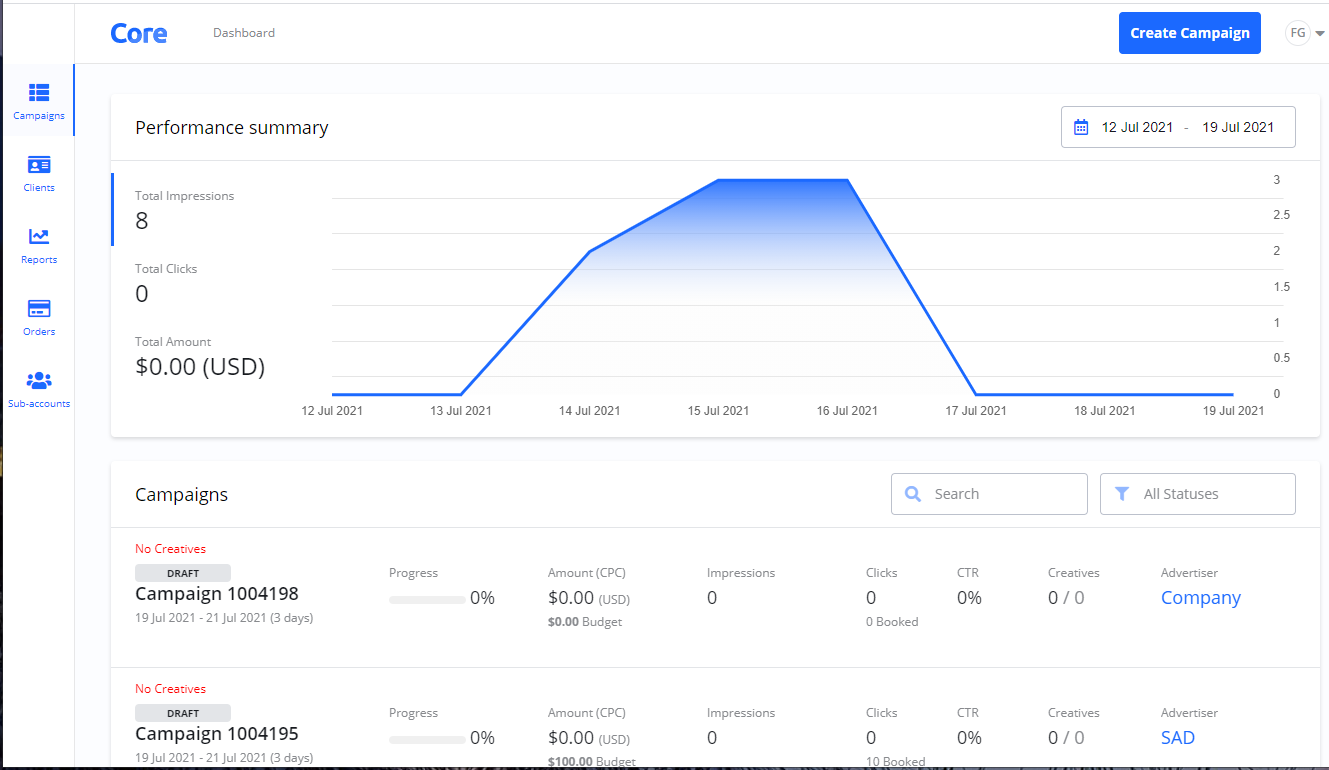
Options in the left sidebar
In the left sidebar, you have direct access to the following sections:
|
Sidebar Option |
Description |
|---|---|
|
Campaigns |
Provides an overview of all Campaigns. Here, you can check performance summaries and use search and filter functions. |
|
Clients |
Provides an overview of all your Clients. |
|
Reports |
This section contains reports for your Campaigns, Orders, and Clients. You can create one-time reports or schedule recurring reports to be sent to you at regular intervals. |
|
Orders |
Provides an overview of all your Orders. |
|
Sub-accounts |
Allows for the administration of your Sub-accounts. |
Frequently Asked Questions
Q: What is the main difference in the dashboard for an Agency account?
A: The main difference is the addition of the Clients and Sub-accounts sections in the left sidebar, which are tools specifically for managing your client portfolio and user access as an Agency.
Q: Where can I find a list of all my clients?
A: You can find a complete list of all your clients by selecting Clients from the left sidebar.
Q: Can I create a report that covers all of my clients?
A: Yes. Under the Reports section, you can generate reports for Campaigns, Orders, and Clients.