
If you have signed up as an Agency, the first step in creating a new Campaign is to select which Client the Campaign is for.
Select Client
At this step, you have two choices:
-
Select an existing Client: Choose a Client from the list provided.
-
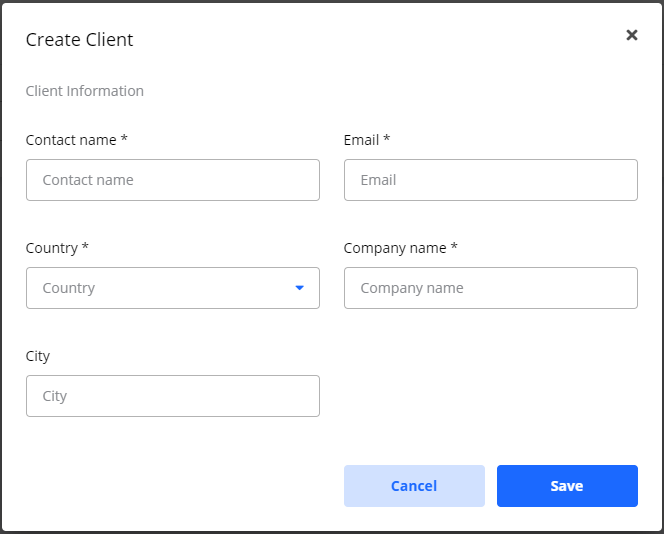
Create a new Client: If the Client is not on the list, you can create them now.

New Client
To create a new Client:
-
Fill in the required basic information.
-
Click Save.
After you have selected an existing Client or created a new one, you will proceed to the next stage of Campaign creation.
Continue by following the guide for Create Campaign options.
Frequently Asked Questions
Q: Is selecting a Client a mandatory step?
A: Yes. If your account is registered as an Agency, you must select or create a Client for every Campaign you build. This step is not shown to non-Agency users.
Q: What happens after I select a Client?
A: You will automatically proceed to the main Create Campaign wizard to build the rest of your Campaign.